Reports Window
To view a list of all reports, click the  button on the toolbar, select
Reports
button on the toolbar, select
Reports  All Reports from
the main menu, or press the Ctrl+P key combination.
All Reports from
the main menu, or press the Ctrl+P key combination.
Selecting a Report from the Alphabetic Report List
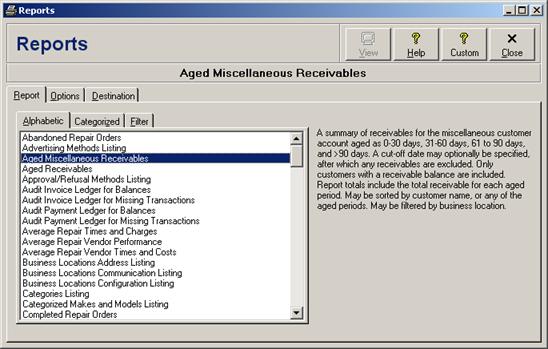
Select the Alphabetic tab to view an alphabetized list of all reports, and then select the desired report from the list.
Selecting a Report from the Categorized Reports List
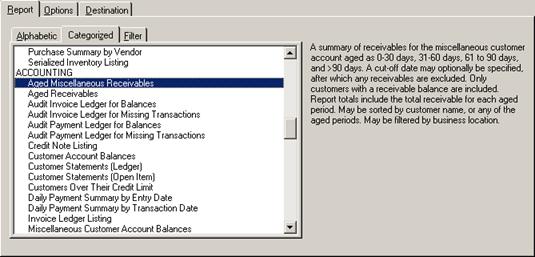
Select the Categorized tab to view a list of all reports grouped into categories, and then select the desired data export from the list. The standard report categories, in order, include custom reports (see Custom Reports), repair reports (see Repair Reports), inventory reports (see Inventory Reports), accounting reports (see Accounting Reports), listing reports (see Listing Reports), and security reports (see Security Reports).
Selecting a Report Using the Report Keyword Filter
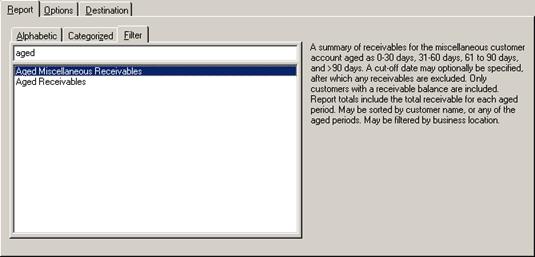
Select the Filter tab to search for all reports that match one or more keywords. As keywords are entered, the list of reports will be limited to only include those that have the keywords in their name. Then select the desired report from the filtered list.
 Context Reports